
CrewUp Tasks
CrewUp Tasks
The Tasks tab is where you will create and manage your signup opportunities.
NOTE: The CrewUp component was formerly known as Signups.
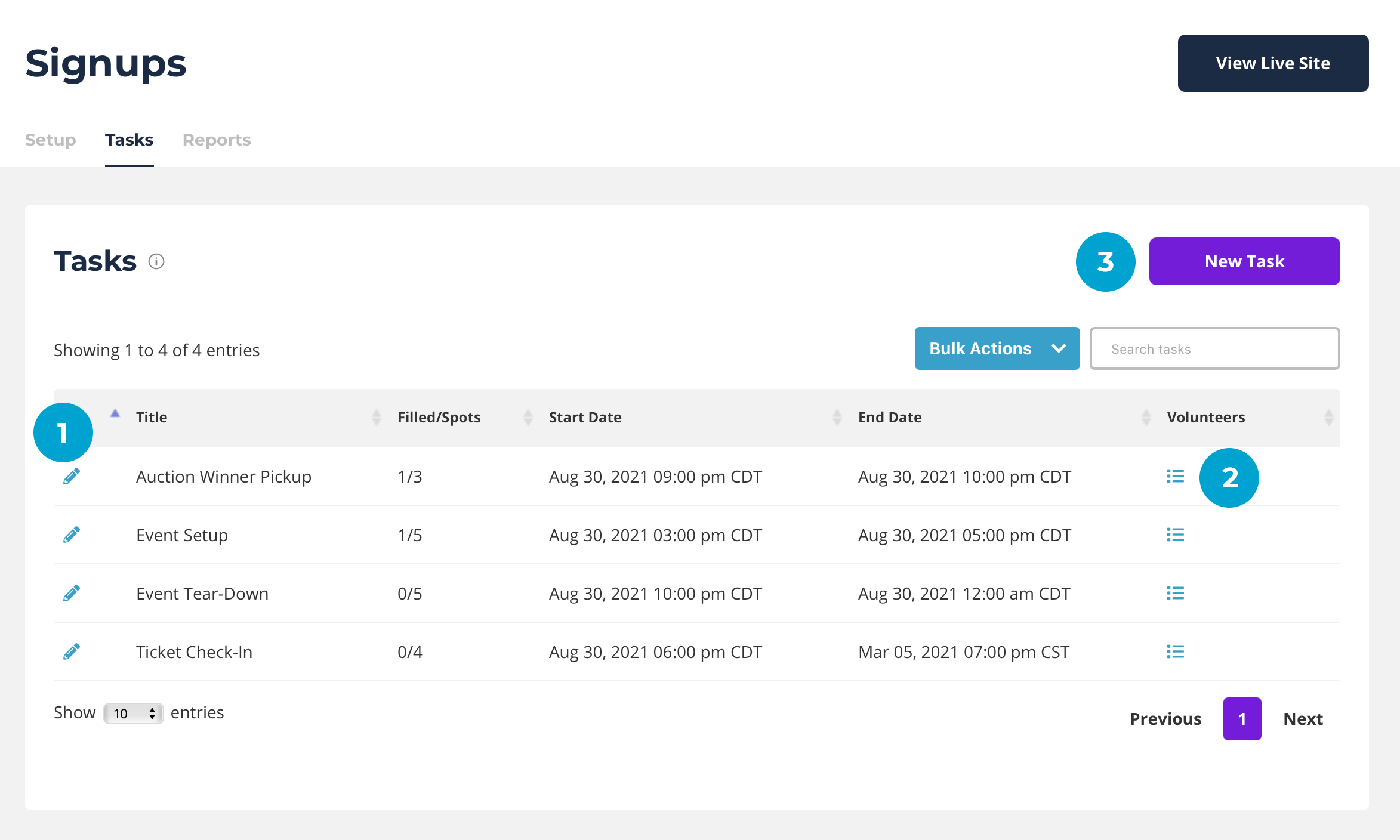
1. Edit. Click the edit icon (pencil) to open an existing task to make changes.
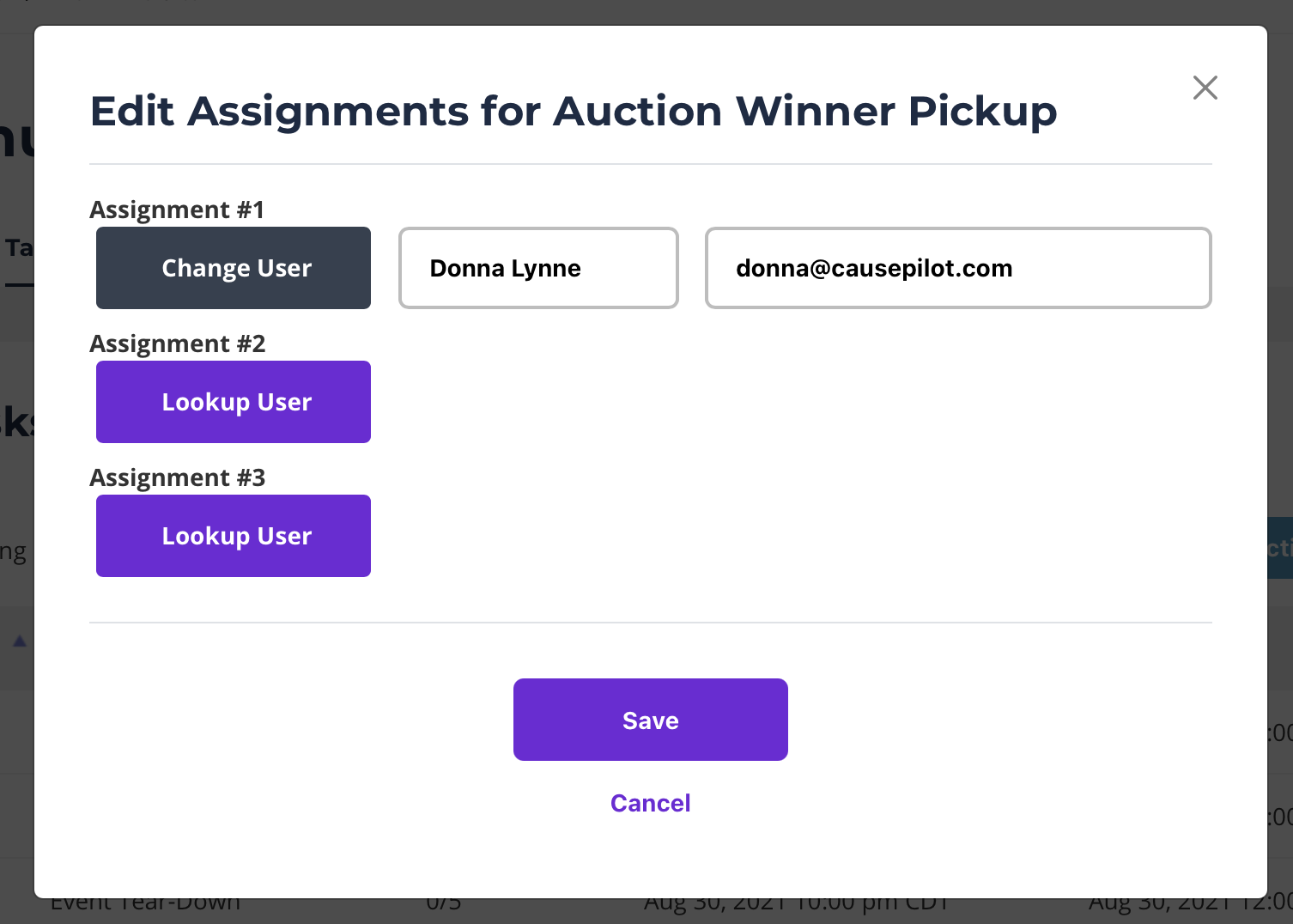
2. Volunteers. Click the list icon to open and view volunteers who have signed up for the task. Here you can make changes. Click "Change User" or "Lookup User" to select or add a new Contact for the task assignment.
3. New Task. To create a new task click New Task.
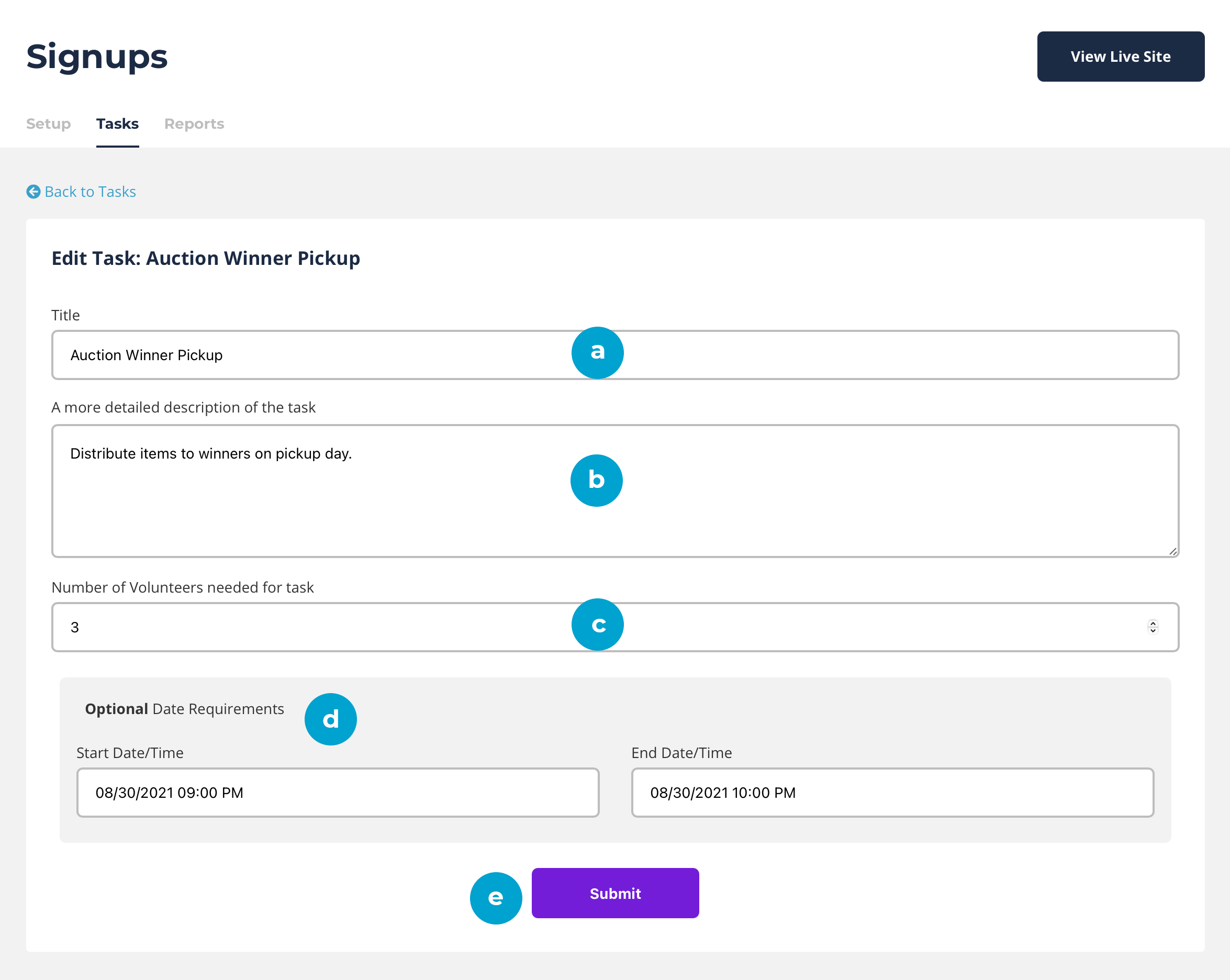
a. Title. Give the task a name that be easily understood.
b. Task Detail. Describe the task so people understand what they are signing up for and what their responsibilities will be.
c. Number. How many people do you need for this task? Enter the number of people you'd like to sign up to help with this task.
d. Date/Time Requirements. Optional. Does this task have a day and time it will begin and end? If so, enter it here and CausePilot will send reminders prior to this time.
Example of Signup Confirmation Email.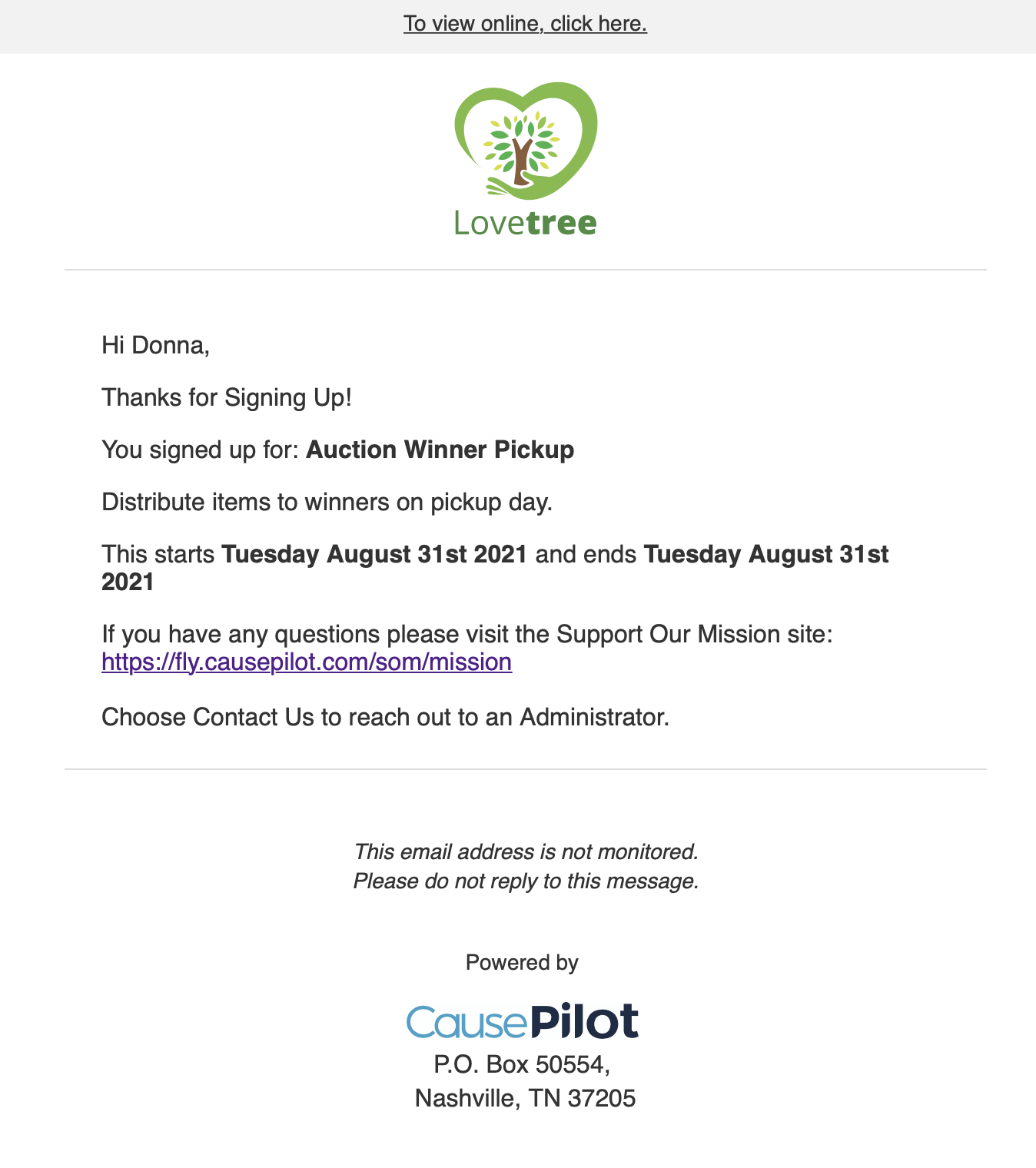
3e. Submit. Always submit your changes to save.